How to stop your game from being zoomed in#
If your game is zoomed in as shown in the screenshot below even though the game resolution isn't higher than your monitor resolution then this might fix your issue.
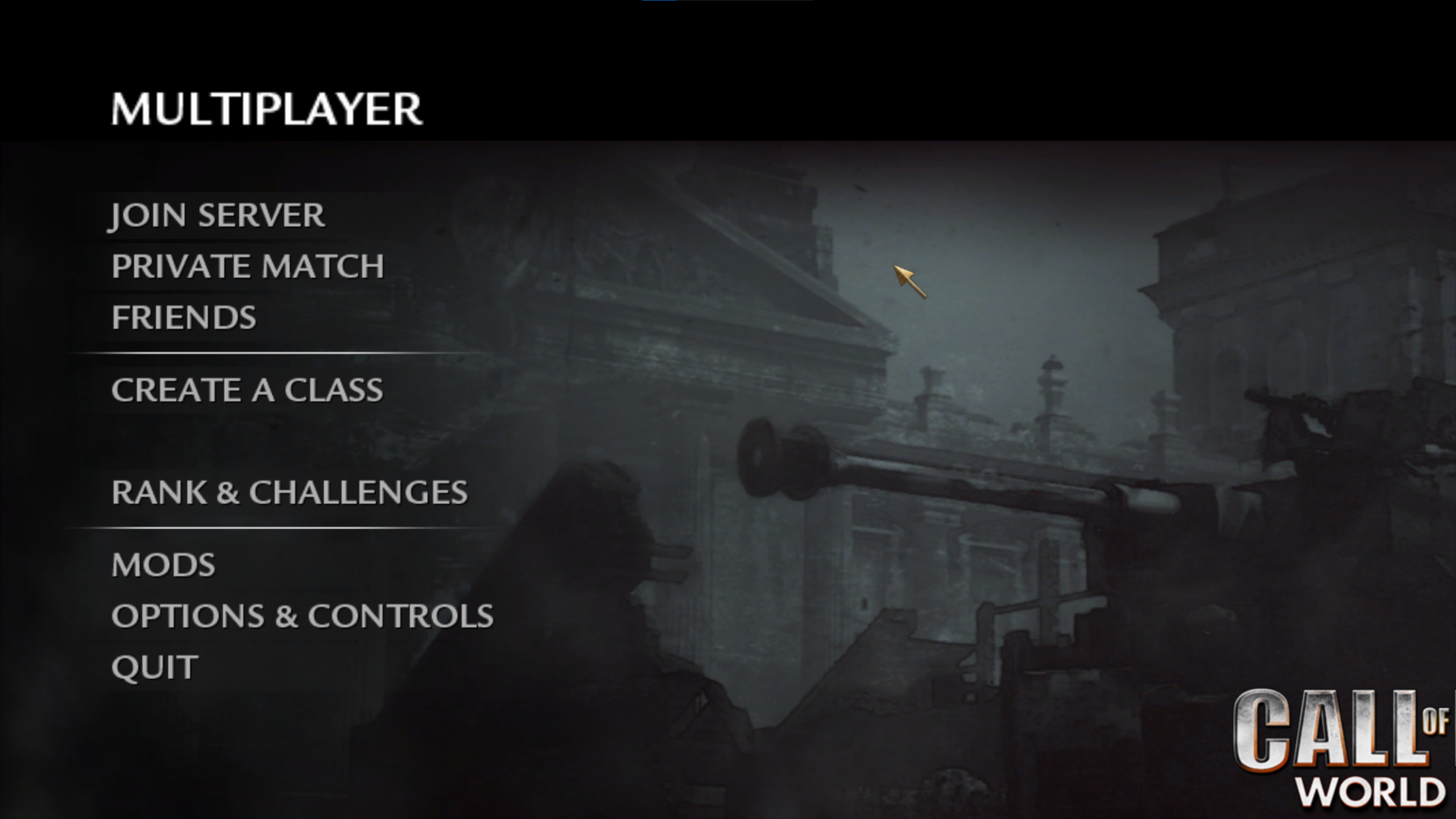
Why is this happening?#
This is happening because your scaling setting in Windows is set to something higher than 100% and some games will use that scaling setting but you can prevent that from happening.
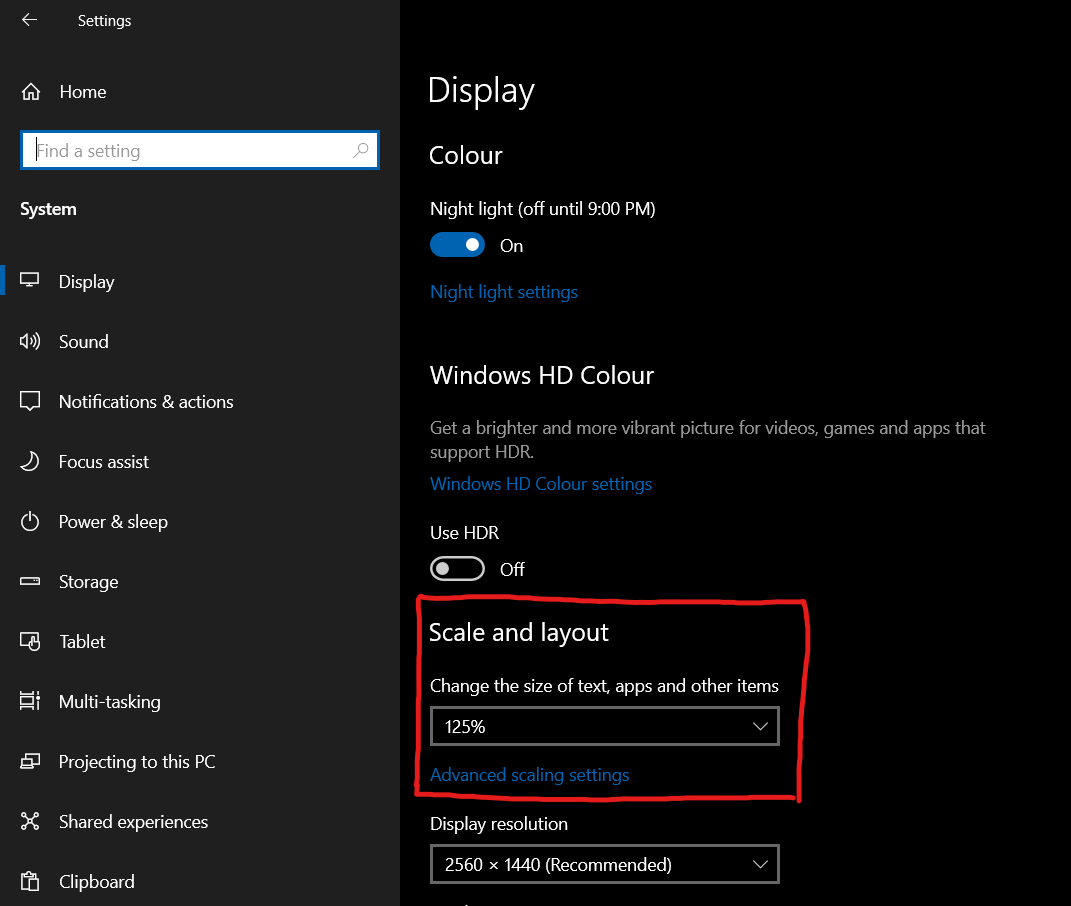
How to fix it#
First, try pressing ALT+Enter to see if the game will force fullscreen. If not, keep reading.
The fix below will only change the setting for Plutonium games while keeping your Windows scaling setting intact for every other applications.
-
Make sure that the Plutonium launcher and any Plutonium game is closed.
-
Press Win + R, paste
%localappdata%\Plutonium\binand press Enter -
Right click on
plutonium-bootstrapper-win32and click onProperties -
Go to the
Compatibility taband click onChange high DPI settings -
Check
Override high DPI scaling behavior -
In
Scaling performed byselectApplication. If this was already set toApplicationtry the other option(s).
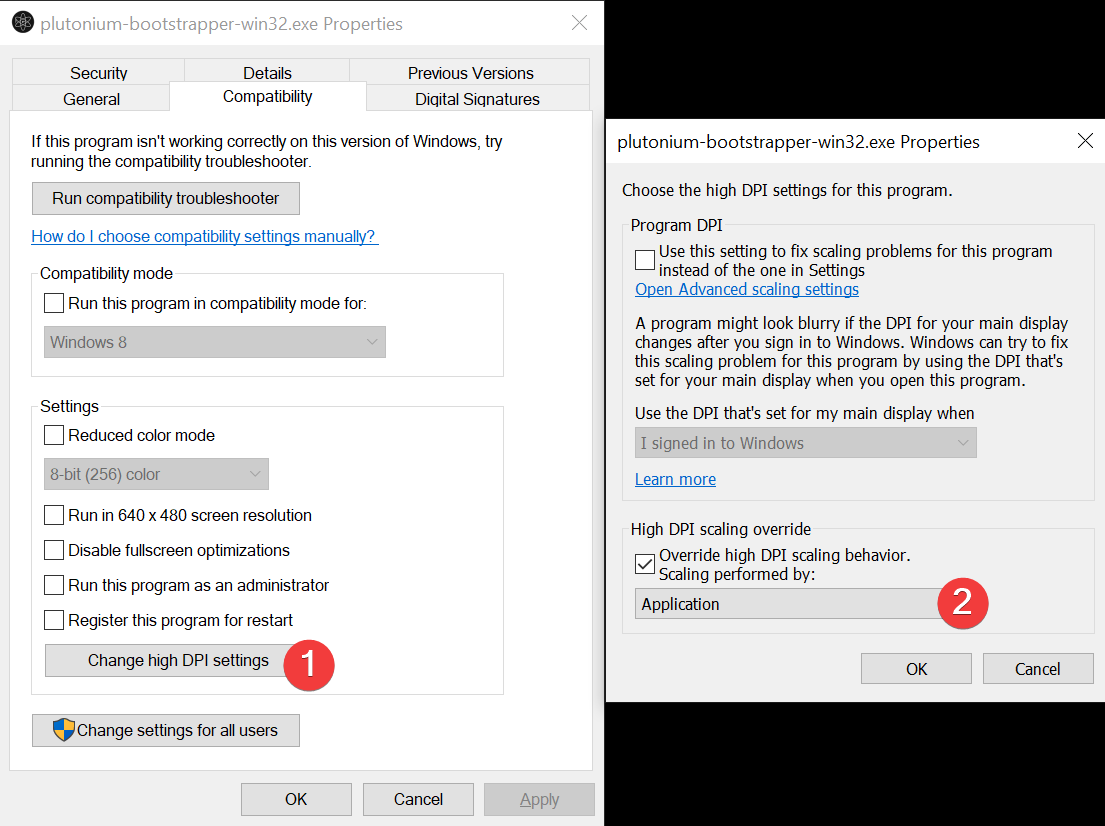
- Open the launcher again and boot up your game to see if the issue is fixed.